
Catering software for independent food businesses
Catering orders,
without the chaos.
From the first catering request to the final pickup, PlateCrew keeps your orders, payments and prep organized. Catering jobs and everyday to-go orders, in one place. And we set everything up around your business.
Want to try it as a customer? Open our demo order page. It's a practice kitchen, so no real emails go out.
Give us about 30 minutes. We'll handle the rest. Built for food trucks, BBQ, pizza shops, bakeries and independent caterers.

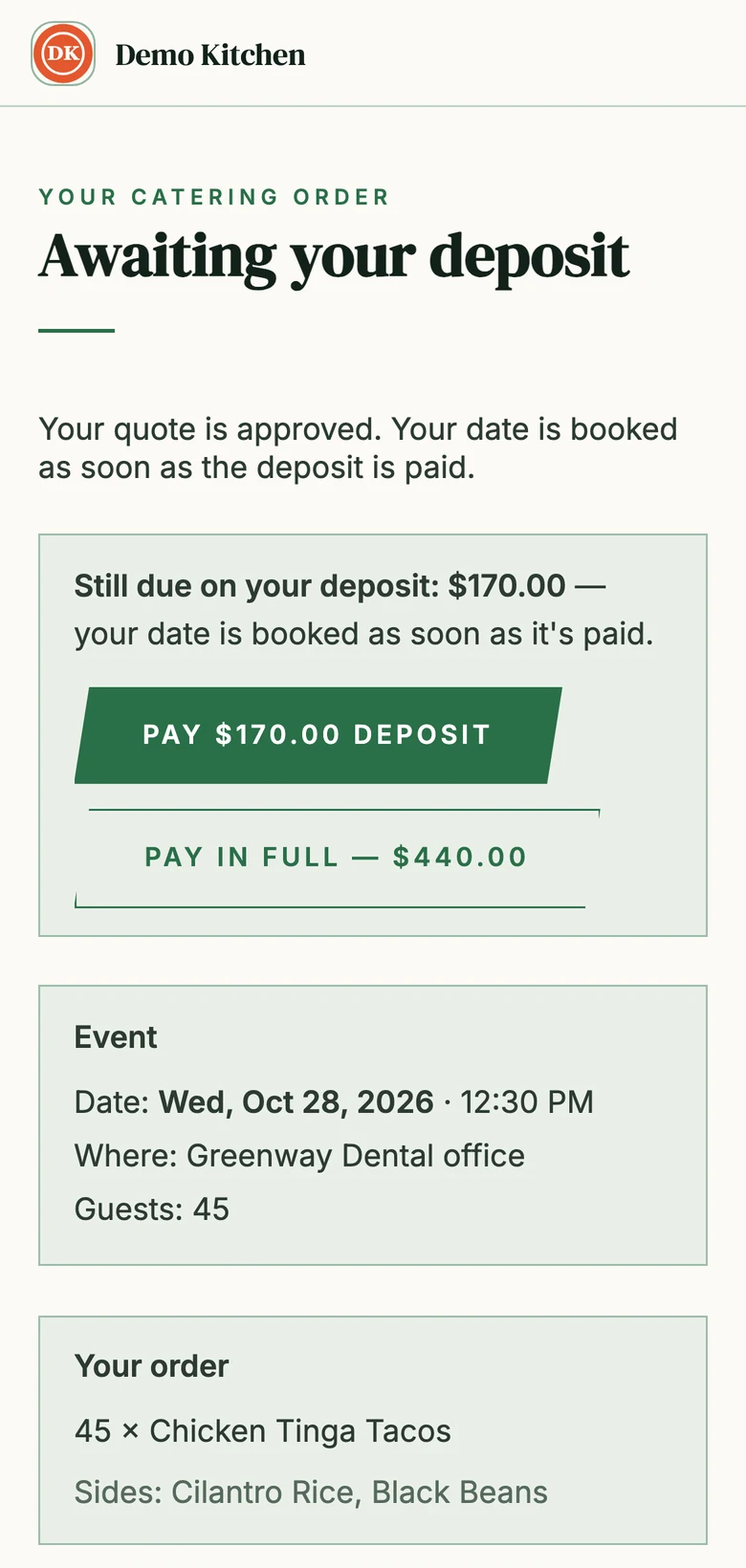
Real screens from our demo business, Demo Kitchen. Demo data shown.
Why catering is different
Catering isn't just another online order.
A lunch order might be two sandwiches for noon. A catering order could be 125 guests next Saturday, two meats, three sides, delivery, special instructions, a deposit, a balance due and an entire kitchen that needs to be ready. Your software should know the difference.
- 2 sandwiches
- Pickup 12:15
- Paid
- 125 guests
- Saturday · 5:30 PM
- Delivery
- Needs your quote
- Deposit, then balance
- Prep required
Set up for you
We set it up. You run your business.
Your menu isn't generic. Neither are your prices, deposits or lead times. Give us about 30 minutes to tell us about your business, and we handle the rest: we build your booking page around your menu, connect your payments, and test it with you. You don't spend your weekend learning another system.
- 1Tell us your menu, prices, deposit and lead times. About 30 minutes.
- 2We build it: your booking page, your payments, your emails.
- 3We test it with you, then you go live.
You cook. We'll handle the software.
Standard setup includes
- Your look and logo, so it feels like yours
- Your contact details and who gets alerts
- Your catering menu, plate prices and to-go menu
- Your deposit rule: any percentage you choose
- Pickup and delivery details, notice and capacity
- Your Stripe or Square connected, with a test payment
- Customer emails and reminders, in your name
- Your booking page, ready to share
- Your login and a walkthrough
Have your Stripe or Square login handy. No account yet? We'll help you open one.
How it works
PlateCrew is built around the whole catering job.
Not just the order. From the first request to the money in your account, everything stays connected.
Your day
Open PlateCrew and know what needs you.
More than a list of orders. PlateCrew spots what's slipping and tells you, in plain sentences, what to deal with today.
- A new request, or a customer asking for a change
- A quote nobody has answered, or a deposit still waiting
- A balance coming due, or an event that needs closing out
- An email that didn't go out, and how to send it another way
- Today's jobs and the next 30 days, on your phone's calendar too

Quotes and booking
You decide what gets booked.
A catering request shouldn't automatically commit your kitchen to feeding 150 people next Saturday. Customers submit their order. You review availability, pricing and details, then send a quote or decline. Nothing is booked until the customer signs and the deposit is paid.
- Customers build their own plate order and see a live estimate
- Quotes go out by email with a page where the customer approves and signs
- A date is booked once the deposit is paid, never on a promise
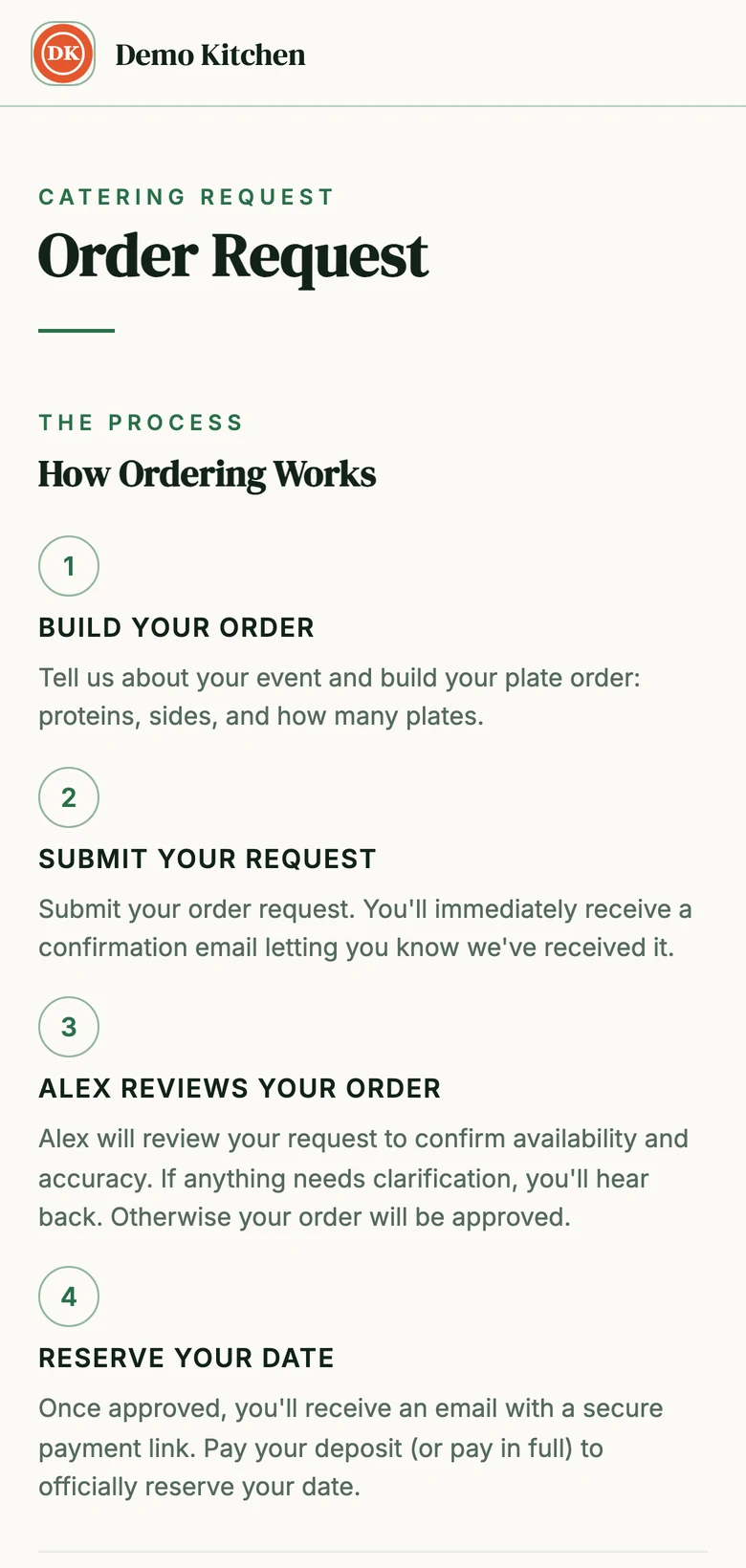
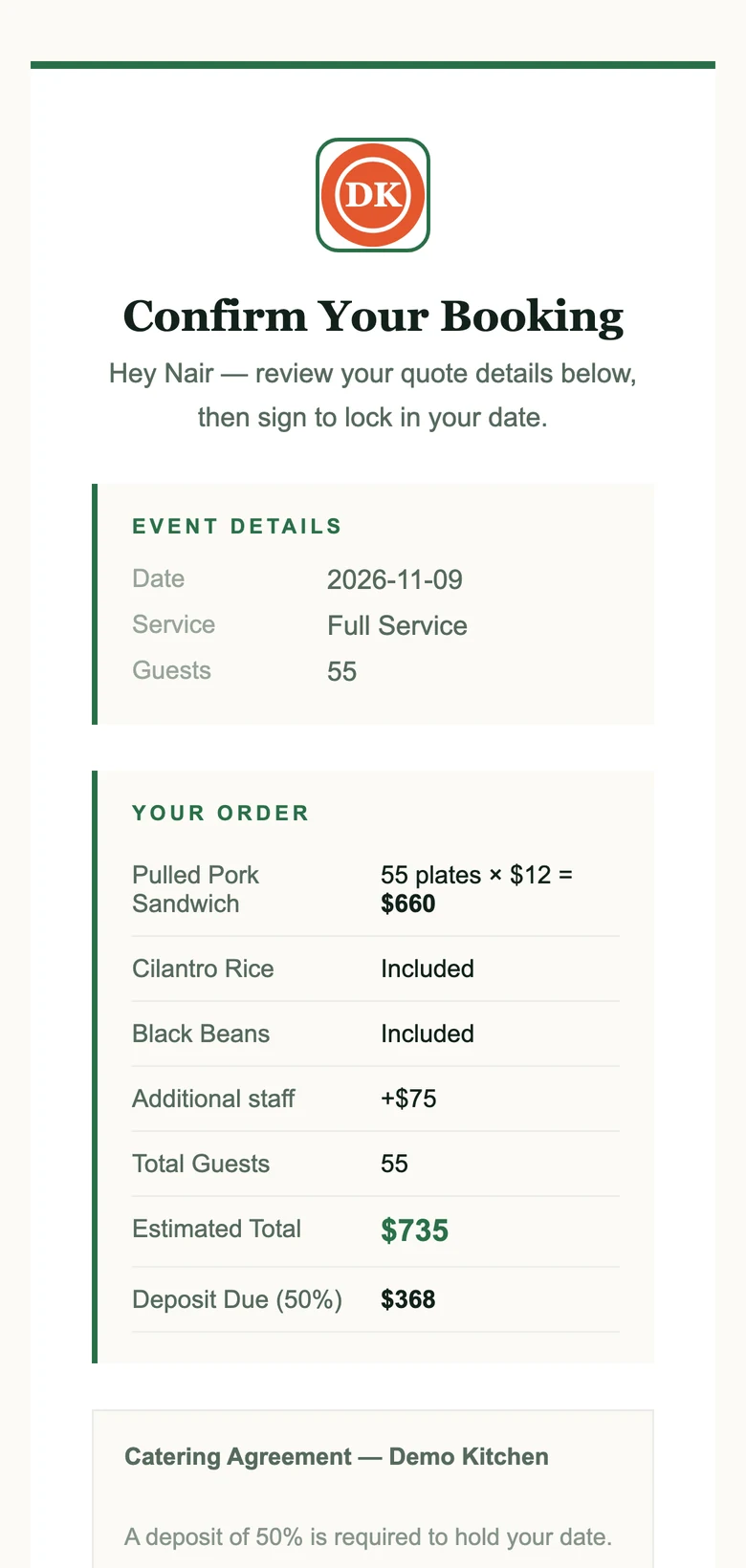
Customers see your name and logo, not ours.
Deposits and payments
Stop chasing deposits.
Once a customer signs, PlateCrew guides them through the deposit you require and keeps track of every payment. Connect your own Stripe or Square account, and the money goes straight to you. We never touch it.
- Set the deposit your way: 25%, 50%, paid in full. Add sales tax, a service charge, delivery or gratuity to a quote if you need to
- Customers pay online. Or you record cash, a check or anything else, and the job books the same way
- Part payments and the running balance are always on the job
- Customers can add a tip when they pay, kept apart from your sales
- Friendly reminders to the customer if a deposit or balance is unpaid
- You're told the moment money lands

Beyond catering
Not every order is an event.
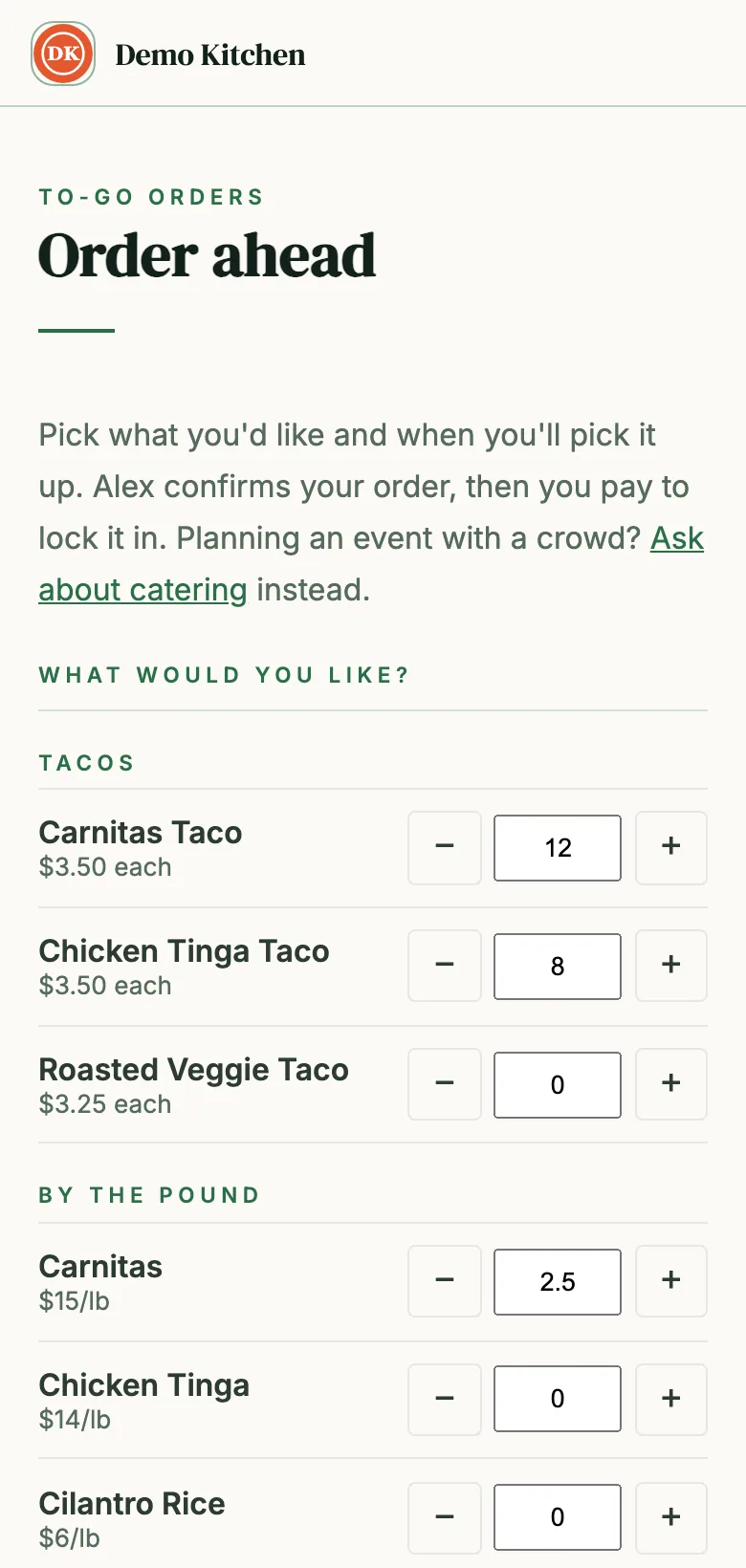
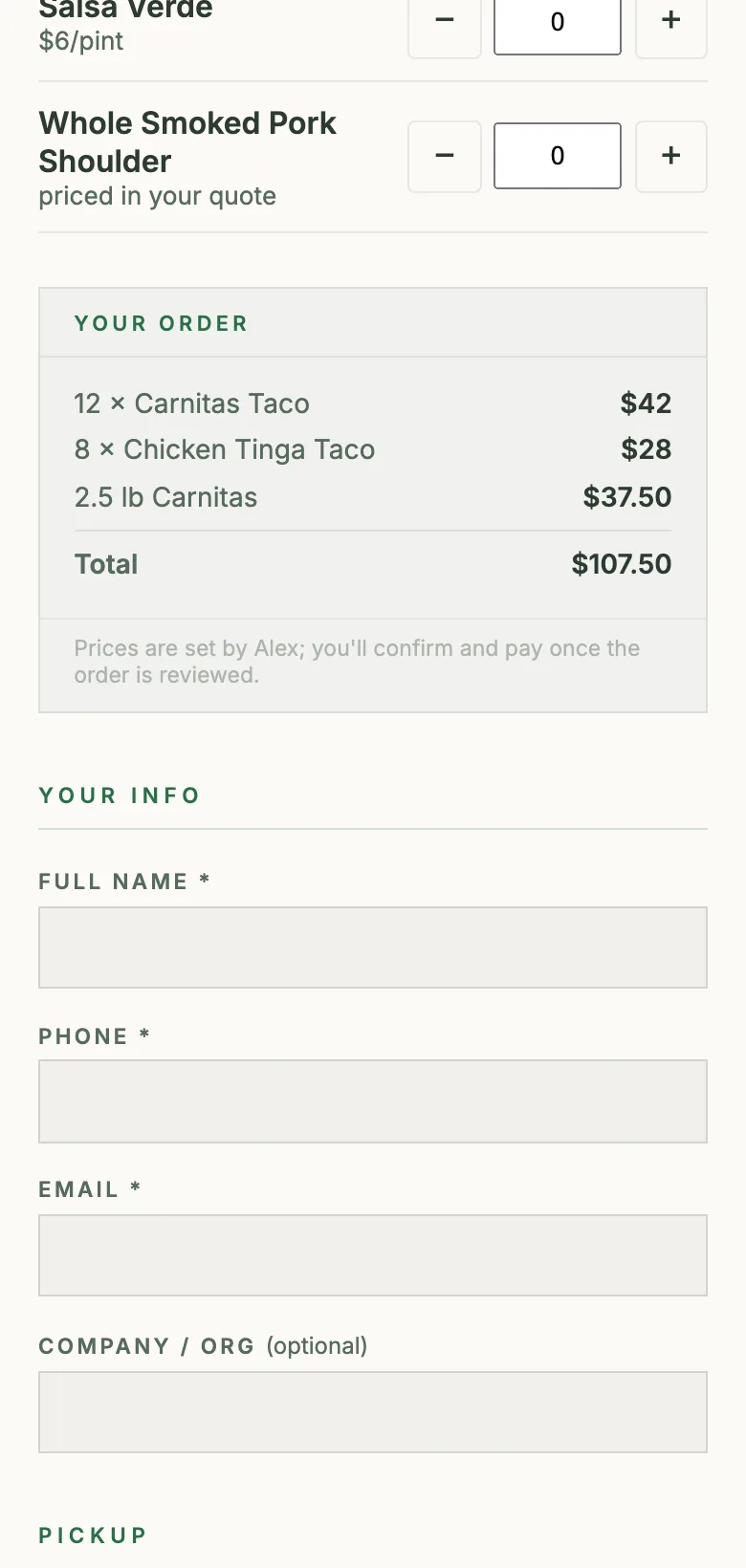
A taco truck takes 20 tacos for a lunch. A smokehouse sells pulled pork by the pound. Customers pick quantities and a pickup time, and the order follows the same path as catering.
- Your own price list: by the pound, the dozen, the pint or each
- Customers see a live total as they pick
- Catering or to-go, on the same ordering page
Pickup orders. We set up your to-go menu with the rest.
Prep and purchasing
Know what your kitchen needs before the rush starts.
Your booked jobs turn into a cooking list and a shopping list, worked out from your own recipes.
- Upcoming jobsAny stretch of days
- What to cookPlates and sides, totaled
- What to buyIngredients, with pack counts
- Where to buy itGrouped by store


- Print it or copy it to your phone
- Every shopping list item has a tick box
- One tap from Prep to the job sheets
Run the job
When it's time to do the job, your crew has what they need.
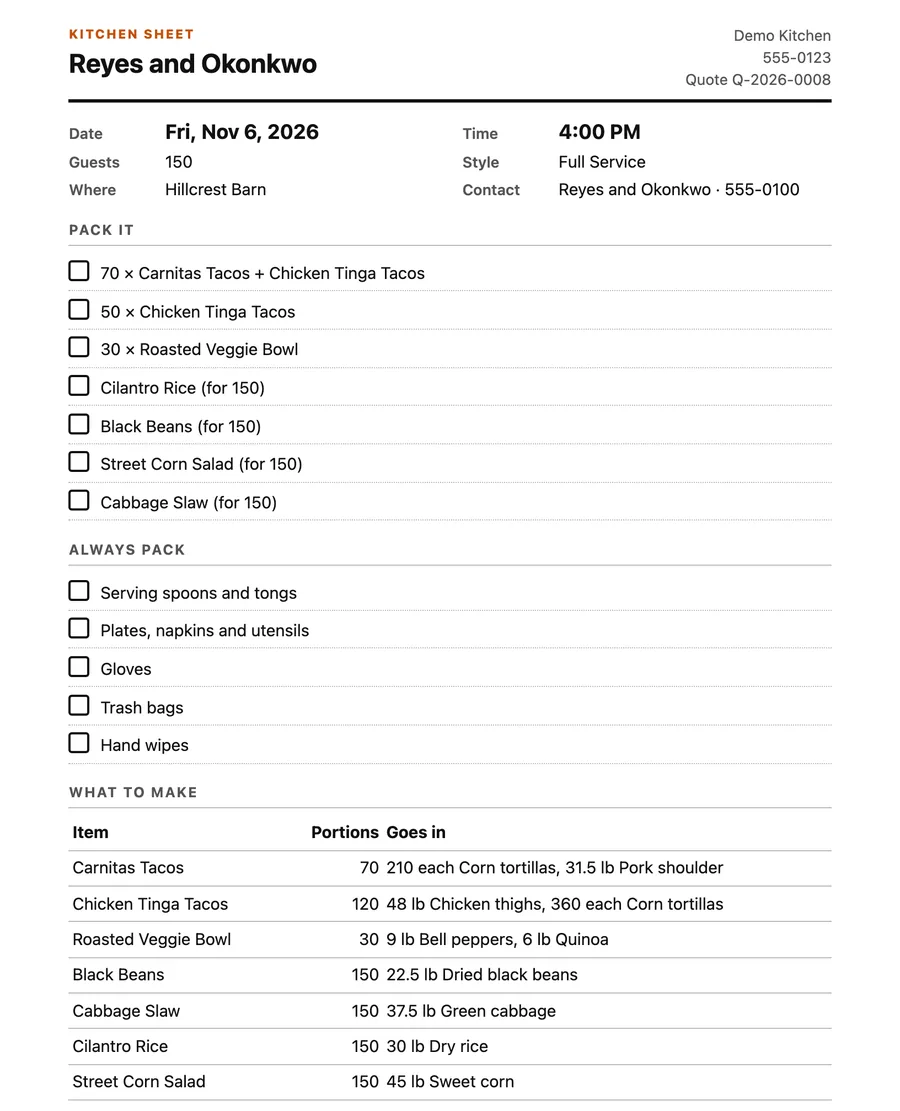
- Kitchen sheet: a tick-off packing list, allergies and what to make
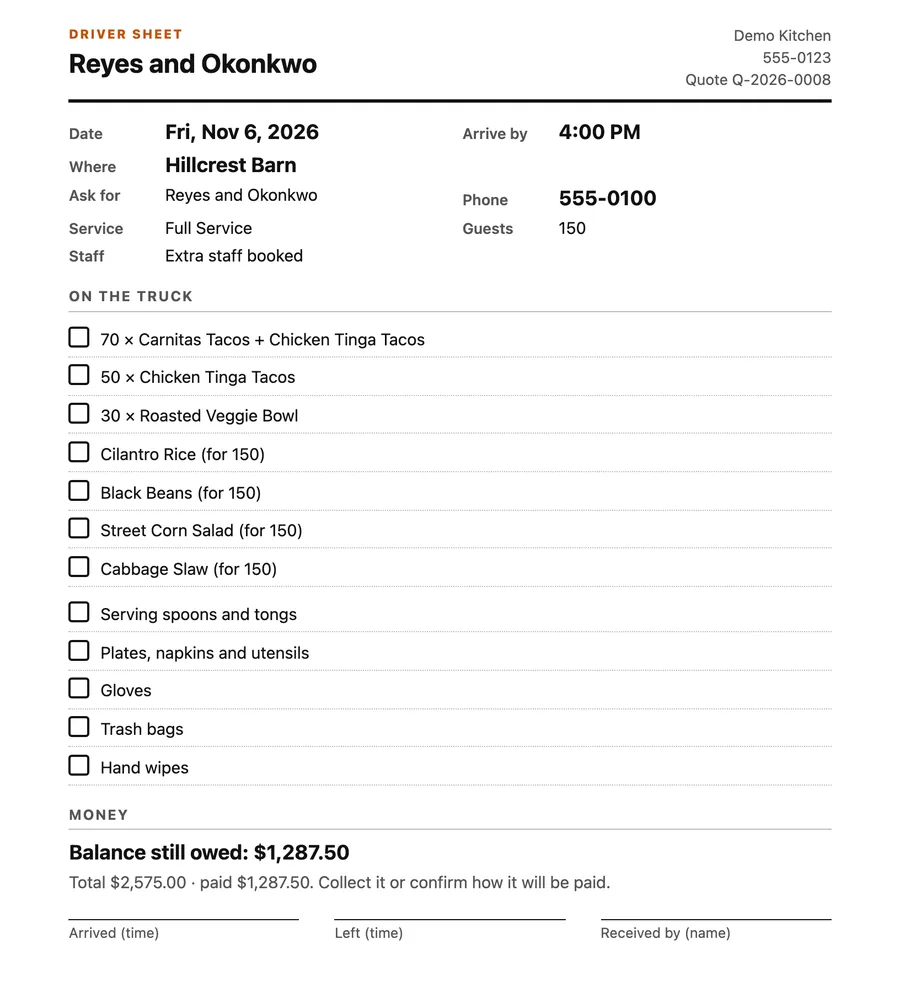
- Driver sheet: address, phone, what's on board and the balance owed
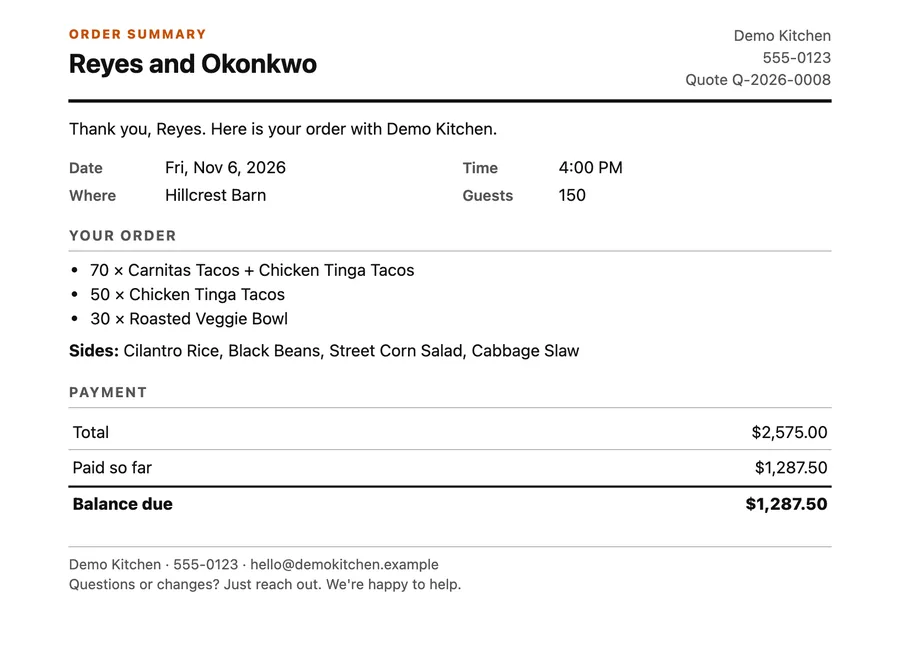
- Customer copy: the order, the total and what's paid
- Print every job for a day or a week in one go
Follow-up that runs itself
PlateCrew does the nudging, so you don't have to.
They go out in your name. We turn on the ones that fit your business when we set you up, and each can be switched off.
Nothing falls through the cracks
Every job keeps its story.
"I already paid." "I never got that email." "Can we change the time?" PlateCrew gives you one history of what actually happened, without asking around.
- Requested, quoted, opened, signed, paid, booked: each step is on the job, with who did it
- Every payment, change request and email to your customer, and a warning when one didn't go out
- A heads-up when someone has ordered from you before
- Cancelled? Record the refund, or keep the deposit, right on the job

Know your numbers
Know what's booked, what's paid and what's still owed.
A Reports tab made for a business owner, not an analyst. Open it and see what catering is doing for you.
- Booked sales, jobs and your average job for any stretch of time
- Paid so far, still owed and sales tax collected
- Sales by day, week or month
- Top customers and best-selling items, with repeat customers marked
- Cost and margin on every plate, from your own recipes
- Download it all as a spreadsheet, or in files laid out for QuickBooks Online

The rest of the job
Made for your regulars, your crew and your bookkeeper.
The small things that save you a phone call.
Regulars order again
"Order this again" on the customer's order page fills in their details and last menu. You can repeat a weekly lunch on a schedule, too.
On your own website
Paste one line into Wix, Squarespace or WordPress and your order form appears right on your site.
Logins for your crew
Owner, manager or crew. Crew see Prep and the job sheets, and nothing about prices or customers.
On your phone
Add PlateCrew to your home screen and it opens like an app.
Quotes with options
Offer two or three packages in one quote. The customer picks one and signs for it. Give regulars a standing discount.
Statements for companies
One printable statement per company each month, with PO numbers, what's paid and what's owed.
Capacity and calendar
Stop accidentally overbooking Saturday.
Set how many guests you'll take in a day and how much notice you need. Customers are asked to call when a date is full or too soon.
- A guest limit per day, counted from booked jobs
- Already committed Saturday? Block the date
- You can always say yes when you want to

For caterers
Built for the businesses feeding the party.
Small, independent and busy: the people who cook the food and answer their own phone.
Office lunches, team events, fundraisers, graduation parties and the occasional big wedding. Plus the everyday to-go order: 20 tacos for lunch, three pounds of pulled pork. Run a food truck? PlateCrew can also post where you are today to your own website.
Small jobs and big ones, from our Demo Kitchen sample business.
Your POS can keep handling today's lunch rush. Let PlateCrew handle Saturday's 150-person wedding.
Pricing
Catering software without the enterprise price.
Plus a one-time setup, from $199.
Your $49 a month covers PlateCrew itself: hosting, updates and everyday support.
Standard setup covers one business: your look, contact details, one standard catering menu with your prices, your deposit and pickup or delivery details, your Stripe or Square connected with a test payment, your customer emails, your booking page, your login and a walkthrough. We set it up around your business so you don't have to. Custom features, custom integrations, a custom website or major custom workflows are quoted separately.
- Online catering requests and to-go orders on your own booking page
- Your menu, plate prices and recipes
- Quotes, signing, deposits and payments
- A home screen that tells you what needs you today
- Capacity and notice rules, plus a catering calendar
- Prep totals and shopping lists by store
- Printable job sheets: kitchen, driver and customer
- Follow-up emails: quotes, deposits, balances and thank-yous
- A history of every job, and a Reports tab
- Logins for your crew, and an order form you can put on your own website
- Your customers, payments and sales, downloadable any time
- We set it all up for you
No contracts. Cancel any time. Card fees go to your own Stripe or Square account, never to us. Just starting out? Ask about our founding-customer rate.
Your next catering job is coming
Get your crew ready.
Take better catering orders. Stay organized. Get paid. Know what's coming. Tell us a little about your business and we'll be in touch to set it up.
Or email [email protected] or call 815-348-9738.